
Making Friends | 2026-07-14
Video Call Etiquette for Meeting New Friends Online
Video call etiquette for meeting new friends online means knowing how to act, speak, and respond in a way that makes both people feel comfortable and respected. A good video call is not only about looking presentable on camera. It is also about listening, giving the other person space, and creating a relaxed conversation from the start.
When you meet someone new online, small details can shape their first impression of you. Your background, tone, eye contact, questions, and timing all affect whether the call feels friendly or awkward. With the right etiquette, a first video call can feel more natural, safe, and enjoyable.
This guide will help you prepare for your first video call, make a warm first impression, choose easy conversation topics, respect personal boundaries, and end the call politely.
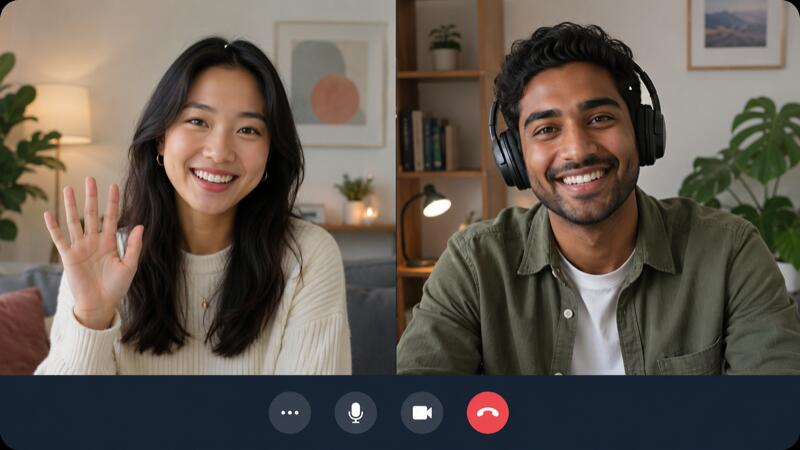
How to Prepare Before Your First Video Call
Before your first video call with a new friend, a few simple checks can prevent awkward pauses and technical problems.
Check Your Camera and Audio
Before the call starts, test your camera and microphone for a few seconds. Make sure your face is easy to see, your voice is clear, and there is not too much noise around you. If your room is noisy, using headphones can make the conversation easier to follow.
Choose a Clean Background
Your background does not need to look professional, but it should look clean and simple. A messy or distracting space can pull attention away from the conversation. Choose a quiet place with enough light so the other person can see you clearly.
Set a Comfortable Time to Talk
Pick a time when you are not rushing, tired, or distracted. A relaxed schedule makes it easier to listen, respond naturally, and enjoy the conversation. It is also polite to check whether the time works for the other person, especially if you are in different time zones.
How to Make a Good First Impression on Camera
A good first impression on a video call comes from being warm, present, and easy to talk to.
Start with a Friendly Greeting
Begin the call with a simple smile and a friendly greeting. You can say hello, ask how their day is going, or mention that you are happy to talk with them.
Keep Eye Contact Natural
Eye contact on video should feel natural, not forced. You can look at the screen while listening and glance at the camera when speaking. Do not stare at the camera the whole time.
Show Interest Through Body Language
Nod when they are speaking, smile when appropriate, and avoid checking your phone or looking around too often. Small reactions can make the other person feel heard.

What to Say and Avoid During a Video Call
What you say during a first video call can decide whether the conversation feels easy or uncomfortable.
Start with Light Personal Topics
Good topics to start with include:
- How their day is going
- Hobbies or favorite activities
- Music, movies, or shows they enjoy
- Food, travel, or places they like
- Funny daily moments or simple life updates
Ask Questions Without Pressuring Them
A natural conversation can follow this pattern:
- Ask a simple question
- Listen carefully to their answer
- React to something specific they said
- Share a short personal answer of your own
Avoid Sensitive Topics Too Early
Topics to avoid at the beginning include:
- Personal income or financial problems
- Past relationships or dating history
- Family conflicts or private family details
- Religion, politics, or strong personal beliefs
- Exact address, workplace, or daily routine
- Very personal photos or private information
How to Respect Boundaries and Personal Comfort
Respecting boundaries is one of the most important parts of video call etiquette.
Notice Their Comfort Level
Signs that someone may feel comfortable include:
- They smile or respond naturally
- They ask questions back
- They share small personal stories
- They stay engaged in the conversation
- They seem relaxed on camera
Signs that someone may feel uncomfortable include:
- They give very short answers
- They look away often or seem distracted
- They pause for a long time before answering
- They avoid certain topics
- They seem nervous when the conversation gets personal
Do Not Push for Private Details
Avoid pushing for details such as:
- Their full name
- Exact home address
- Workplace or school name
- Daily routine or regular locations
- Personal phone number
- Private photos or social media accounts
- Family problems, income, or relationship history
Respect Different Cultures and Habits
Cultural differences may affect:
- How much eye contact feels comfortable
- Whether someone speaks directly or more politely
- What topics feel private
- How people use humor
- How quickly they open up to new friends
- Their comfort with video calls, selfies, or online sharing

How to End a Video Call Politely and Keep in Touch
A polite ending can be simple:
- "It was great getting to know you."
- "I need to go now, but I hope you have a good day."
- "Thanks for chatting with me today."
- "Maybe we can talk again when we both have time."
If you want to keep in touch, you can ask naturally: "Would you like to talk again another time?"
Conclusion
Good video call etiquette is about more than looking good on camera. It is about making the other person feel safe, heard, and respected. When you prepare your setup, choose easy topics, notice boundaries, and end the call politely, meeting new friends online can feel much more natural.
FAQ
What Should I Wear for a Video Call with a New Friend?
Wear something clean, simple, and comfortable. You do not need to dress formally, but your outfit should show that you care about the conversation.
How Long Should a First Video Call Last?
A first video call can last around 15 to 30 minutes. This is usually enough time to get comfortable without making the conversation feel too long or tiring.
Is It Okay to Be Nervous on a Video Call?
Yes, it is completely normal to feel nervous before a video call with someone new. Take a deep breath, smile, and start with simple topics to make the call feel easier.
What Should I Do If the Video Call Gets Awkward?
Stay calm and move to a simple topic. You can ask about their day, mention something light, or smile and say, "I'm still getting used to video calls."
How Can I Stay Safe When Video Calling Someone New?
Avoid sharing your address, workplace, phone number, financial details, or daily routine with someone you just met online. If someone makes you uncomfortable, it is okay to end the call politely.
Should I Text Before Starting a Video Call?
Yes, texting before a video call is polite and helpful. It confirms that the other person is ready and avoids making the call feel sudden or uncomfortable.


