
Conversation Topics | 2026-08-19
How to Handle Awkward Silence During a Video Chat

Awkward silence during a video chat is normal, especially when two people are meeting for the first time. A pause does not necessarily mean the conversation is going badly. Someone may be thinking, feeling nervous, waiting for delayed audio, or unsure who should speak next.
Instead of trying to fill every quiet second, take a breath and reconnect with something already discussed. A short personal comment followed by one open question is often enough to restart the conversation. If finding the next topic is the real difficulty, these strategies for keeping a conversation going naturally can help you build on what the other person has already said.
Why Awkward Silence Happens During Video Chats
Video calls combine conversation with technology. You are watching facial expressions, listening for tone, deciding when to respond, and dealing with possible connection delays at the same time. Understanding what caused a pause can help you respond without making it more uncomfortable.

Nervousness Makes It Harder to Respond Naturally
Nervousness can make even familiar conversation topics feel difficult. You may focus so much on finding an interesting response that you stop listening to what the other person is actually saying. The pressure can become stronger when you can also see your own face on the screen.
Give yourself permission to respond simply. You do not need a clever story or perfect follow-up every time. Comments such as “That sounds like a good way to spend the weekend” or “I haven’t tried that before” show that you are listening and create space for the next idea.
It can also help to look at the other person instead of repeatedly checking your own video. This makes it easier to notice details in their expression and answer more naturally. If the first few minutes are usually the hardest, prepare a simple opening using these tips for starting a video chat conversation without feeling awkward.
Conversations Lose Momentum After Short Answers
Some questions naturally produce short answers. Asking “Do you like movies?” may lead to a quick “yes,” while asking “What kind of movie can always hold your attention?” gives the other person more room to respond.
A short answer does not automatically mean the person is uninterested. They might be nervous, unfamiliar with the topic, or waiting for you to share something too. Try adding a small personal response before asking a follow-up:
“I usually watch comedies when I want to relax. What kind of movies do you choose after a busy day?”
If several topics receive only one-word answers and the other person does not ask anything in return, the conversation may simply have reached a natural stopping point.
Audio Delays Can Feel Like Uncomfortable Pauses
A slight audio delay can make both people wait because neither wants to interrupt. When they eventually start speaking at the same time, both may stop again. This technical pause can easily be mistaken for social discomfort.
If this happens, acknowledge it briefly: “I think there’s a small delay—go ahead.” Then let the other person finish before responding.
Repeated delays may mean the connection needs attention. Check your internet connection, close bandwidth-heavy applications, or reconnect to the call. Resolving the technical problem is more useful than trying to cover every interruption with another question.
What to Do When a Video Chat Suddenly Goes Quiet
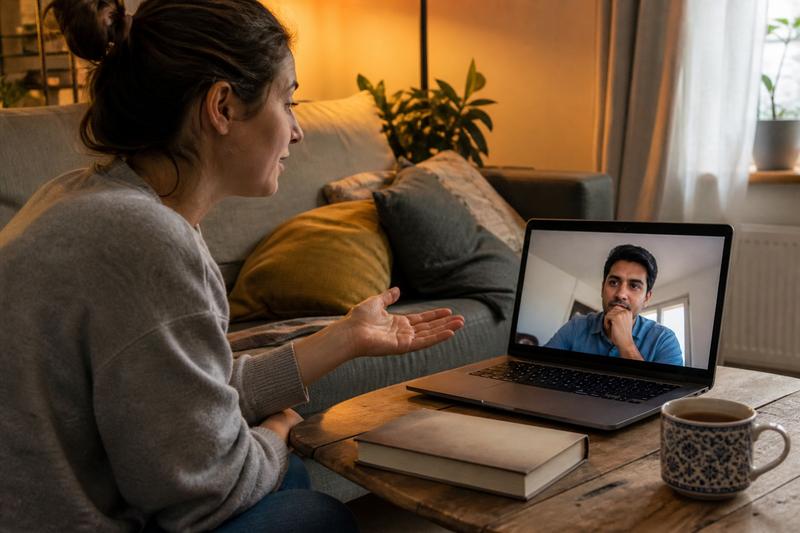
When a conversation stops, resist the urge to ask several unrelated questions in quick succession. The most natural recovery usually comes from returning to an earlier detail, offering something of your own, or making one clear transition to a new subject.
Return to Something the Other Person Already Mentioned
Think back to a detail that appeared earlier but was not explored. If the person mentioned a new job, a favorite city, a pet, or plans for the weekend, bring that detail back into the conversation.
You could say:
“You mentioned that you recently started cooking more. What made you get interested in it?”
This works because it feels connected rather than random. It also shows that you remembered what the other person said. Choose a detail they seemed comfortable discussing and avoid returning to anything they deliberately moved away from.
Share a Short Personal Response Before Asking a Question
A conversation can start to feel like an interview when one person only asks questions. Break that pattern by offering a short thought, experience, or reaction before inviting the other person to respond.
For example:
“I always need a few minutes to settle into a video call. Do you usually prefer video chats or text conversations?”
Your contribution does not need to become a long story. One or two sentences are enough to make the exchange feel balanced. The aim is to give the other person something to react to instead of making them responsible for creating every new topic.
Introduce a New Topic Without Forcing the Conversation
If the previous topic has clearly ended, use a simple transition rather than pretending it is still active. Phrases such as “That reminds me…” or “On a completely different note…” can signal the change without making it feel abrupt.
Choose a topic that is easy to enter:
- Something enjoyable that happened this week
- Music, films, games, or food
- A hobby someone would like to try
- A place they would like to visit
- An upcoming plan they are looking forward to
Introduce one topic at a time. If the other person responds with little interest, do not immediately cycle through several alternatives. A calm pause is better than making the conversation feel like a test.
How to Make Future Video Chats Feel More Comfortable
You cannot prevent every silence, but you can remove some of the pressure that creates it. A few flexible topics, a lower-pressure start, and the right communication tools can help both people settle into the conversation.

Prepare a Few Flexible Topics Instead of Scripted Questions
Preparing does not mean writing an interview script. Choose three broad topics that can develop in different directions, such as hobbies, recent experiences, and future plans.
For each topic, think of one question and one detail you could share yourself. For example, if the topic is travel, you might ask where someone would like to return and briefly mention a place you enjoyed.
You can keep two or three easy icebreaker questions available, but only use them when they fit the direction of the conversation. Once the other person introduces an interesting detail, set your prepared topics aside and follow the real exchange.
Start with Text Chat on LivU Before Moving to Video
Some people need more time to feel comfortable before speaking face to face. Starting with text can help both people establish a topic, understand each other’s communication style, and decide whether they want to continue on video.
LivU’s online video chat supports both text and one-to-one video conversations, allowing people to begin in the format that feels more comfortable before moving to a live call.
If you move to video, refer to something from the text conversation: “You mentioned you were learning to cook—how is that going?” This creates continuity and removes the pressure of inventing a completely new opening.
If you are unsure which format suits the moment, compare how video chat and text chat create different kinds of connection.
Use Translation Support When Language Differences Cause Pauses
Sometimes a conversation goes quiet because one person needs extra time to understand or formulate a response in another language. Speak clearly, use shorter sentences, and avoid stacking several questions together.
LivU’s official product information lists live language translation and automatic message translation among its communication features. Message translation can help clarify an unfamiliar phrase without requiring both people to leave the conversation and open another tool.
Translation support should assist the exchange rather than rush it. Give the other person time to read and respond, and ask for clarification instead of assuming that a pause means they have lost interest. You can also learn more about how real-time translation improves video chat communication when people do not share the same first language.
FAQ
Is Awkward Silence Normal During a Video Chat?
Yes. Brief silences are common during video chats, particularly when people have just met. They can happen because of nervousness, thinking time, audio delay, topic changes, or uncertainty about whose turn it is to speak.
A few quiet seconds do not require an immediate rescue. Stay relaxed and give the other person a chance to continue.
What Should You Say When a Video Chat Goes Quiet?
Return to an earlier detail or offer a short personal comment. You might say, “You mentioned that you enjoy hiking—how did you get into it?” or “I was thinking about what you said about your weekend.”
If no earlier topic feels useful, acknowledge the transition lightly: “We covered a lot there. What have you been enjoying recently?”
How Can You Avoid Running Out of Things to Say?
Listen for details that can become follow-up questions. Most answers contain several possible directions, including what happened, why it mattered, how the person felt, or what they want to do next.
You can also prepare a few flexible topics before the chat, but do not try to work through them in order. A natural conversation develops from the answers you receive.
Should You Mention an Awkward Silence?
You can mention it if doing so reduces tension. A light comment such as “We both paused at exactly the same time” may help both people relax.
Avoid repeatedly calling the situation awkward, as that can make the other person more self-conscious. If a technical delay caused the pause, say so directly and briefly.
When Should You End a Video Chat Politely?
Consider ending the call when both people repeatedly give short answers, several topic changes lead nowhere, or either person appears distracted or uncomfortable. You do not need to wait until the interaction becomes unpleasant.
Use a clear and respectful closing: “It was nice talking with you. I’m going to head off, but I hope you have a good evening.” A polite ending is more comfortable than forcing another topic simply to avoid silence.
Conclusion
Awkward silence during a video chat does not mean you have failed at conversation. It may reflect nervousness, a short answer, a technical delay, or an ordinary moment when both people need time to think.
When a chat goes quiet, return to something already mentioned, share a brief thought of your own, or introduce one easy topic. For future conversations, prepare a few flexible ideas and begin with text when a live call feels too direct. If the connection still does not flow, end the conversation politely rather than treating every silence as a problem that must be fixed.


